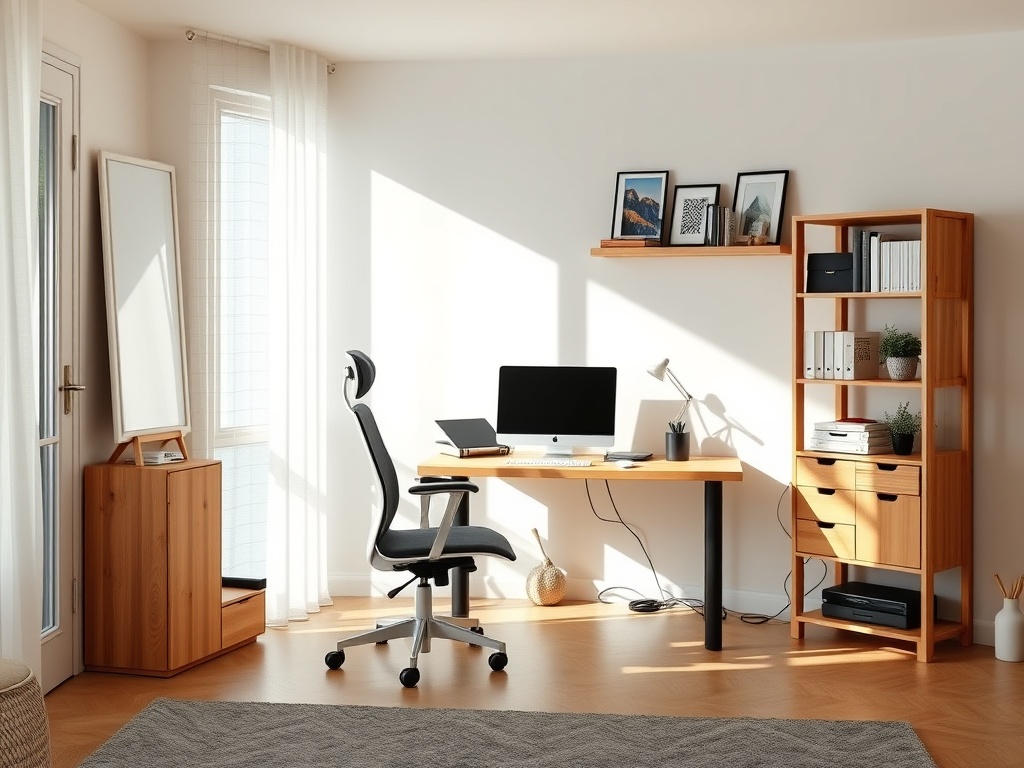

A compact home office works when it protects a small work zone from household clutter and supports a comfortable posture.
TL;DR: A compact home office works when it protects a small work zone from household clutter and supports a comfortable posture. Choose the quietest practical location, fit the desk to the equipment you actually use, place the screen and input devices first, control cables and light, then add only the storage that earns its footprint.
Find the Best Small Zone, Not the Perfect Spare Room
A useful home office can fit in a bedroom corner, dining-room edge, landing, closet alcove, living-room wall, or guest room. The best location is usually the one that combines enough physical depth for a chair, manageable noise, usable outlets, and lighting that does not create screen glare.
Before buying a desk, mark the proposed footprint with painter's tape. Sit in the space with a chair and mimic your normal movements: pulling back, standing up, opening a drawer, reaching for a notebook, and passing behind the chair. A setup that looks compact on a product page can feel cramped once chair movement and room circulation are included.
Think about how often the space must return to another use. A dining-area office may need a slim desk and closed storage that can reset quickly. A bedroom workspace may benefit from a visual boundary so work equipment is not the dominant view from the bed. A living-room setup usually needs more attention to cable concealment and furniture finish because it stays visible.
Build the Layout Around Your Body
Ergonomics should shape the workstation before decorative storage does. The OSHA computer workstation eTool describes basic design goals such as a monitor near eye level, relaxed shoulders, supported lower back, wrists aligned with forearms, and feet supported. OSHA also notes that there is no single correct posture that fits everyone, so adjustability matters.
Start with the chair and screen. Position the chair so your feet can rest flat or on a stable foot support. Place the keyboard and mouse where the elbows can stay close to the body without reaching forward. Then position the screen at a comfortable distance and height that does not make you repeatedly tilt your head up or down.
The CDC/NIOSH home-work guidance also recommends varying posture and avoiding long periods on couches or soft chairs. In a compact room, that can be as simple as taking calls standing at a counter or scheduling short movement breaks rather than trying to fit a second sit-stand desk into the space.
Choose a Desk by Equipment Footprint
List the objects that must live on the work surface every day. A laptop-only user needs far less depth than someone with a large monitor, keyboard, audio interface, drawing tablet, or document stand. Measure the actual equipment and leave space for forearm support and mouse movement.
A shallow wall-mounted desk can work for light laptop use. A small conventional desk is more forgiving for separate peripherals. A corner desk can use an awkward recess but may consume more visual space. A fold-down desk is helpful when the room must switch functions, but check the wall structure, hinge hardware, load rating, and cable path before treating it as a permanent workstation.
Do not let storage dictate an oversized desk. A narrow desk with a vertical shelf, rolling pedestal, wall cabinet, or nearby bookcase often uses floor area more efficiently than a deep desk with built-in drawers.

Control Light From Two Directions
Good office light has two jobs: illuminate the room and keep the screen comfortable to view. Strong daylight directly behind the screen can make the display look dim. A bright window directly behind you can reflect in the screen. Side lighting is often easier to manage, especially when blinds or curtains can soften direct sun.
Add a task light for paper work or evening use instead of relying only on a bright ceiling fixture. Position the lamp so your hand does not cast a large shadow over the writing area. If you work on video calls, place a soft light source in front of or slightly beside you rather than overhead only.
Compact spaces can feel crowded when every surface is brightly lit. The same principle used outdoors applies indoors: place light where it improves the task. If you are also refining the exterior entry or evening approach to the room, the guide to improving outdoor visibility without overlighting uses a similar task-first approach.
Give Cables a Planned Route
Cable clutter makes a tiny workstation feel smaller and can create trip or snag hazards. Decide where power enters the desk before placing furniture. Use a mounted power strip or cable tray where appropriate, keep transformer blocks ventilated, and separate frequently unplugged charging cables from permanent monitor or computer cables.
Leave service loops so equipment can be moved without pulling connectors tight. Avoid routing cords across doorways or under rugs where damage can go unnoticed. If the nearest outlet requires a permanent extension cord arrangement, consider whether an electrician should add a receptacle closer to the workstation.
For homes that experience outages, a compact office can also be included in the household power plan. The article on choosing a backup power option for essentials explains how to rank loads and estimate runtime rather than assuming the entire office must remain powered.
Store Vertically, but Keep the Work Zone Calm
Wall space is valuable, but filling every vertical surface with shelves can make a small office visually busy. Put daily-use items within arm's reach and move occasional-use supplies higher or farther away. Closed boxes or cabinets are useful for objects that create visual clutter, while one open shelf can hold reference books or a small personal item without turning the wall into storage overflow.
A pegboard, rail, or magnetic strip can organize lightweight tools, but confirm the mounting method suits the wall type. Heavy printers, paper boxes, and bulky equipment need sturdy furniture rather than decorative wall systems.
If you rent, prioritize freestanding shelves, clamp-on accessories, removable cable clips, and furniture that can move with you. The goal is a setup that supports work without permanently changing the room unless you want it to.
Reduce Noise at the Source
Soft furnishings can reduce some room echo, but they do not make a thin wall soundproof. Start with predictable noise sources: move the desk away from a television wall, close a door during calls, place a rug in a hard-surface room if it fits the space, and use headphones when household schedules overlap.
A microphone placed closer to the speaker often produces clearer calls than simply making the room quieter. If a desktop computer or fan is noisy, move it off the work surface or adjust the microphone direction before adding bulky acoustic panels.
Make the Space Work Daily
Run the office for a week before buying extra organizers. Notice what collects on the desk, which cables are touched, where papers pile up, and whether the chair hits nearby furniture. Then solve those specific friction points.
A compact office succeeds when the work surface stays available, the body can change position, and the room still performs its other job. Keep household reference notes nearby too; a seasonal checklist such as reopening a garden irrigation system in spring can live in that small planning zone without taking over the room.
This information is educational and does not replace medical or ergonomic assessment, electrical advice, building requirements, or accessibility guidance for a specific user or home.